In the daily work of travel professionals, a significant amount of time is spent manually transferring content from digital copies of itineraries or offers into the system. Copying, formatting, and building itineraries slows down the process and increases the risk of errors.
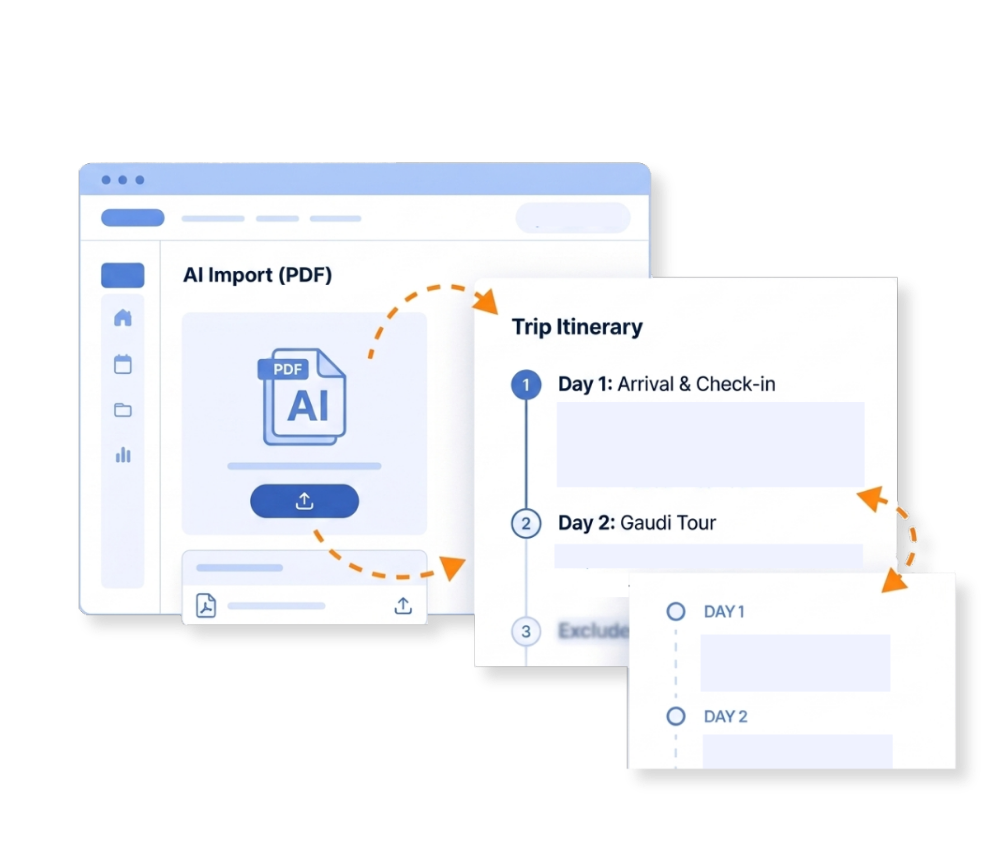
TripMatrix AI Import automatically analyzes PDF documents and converts them into a structured itinerary and planner inside the system. This reduces administrative work and speeds up offer creation.
How TripMatrix AI Import Works
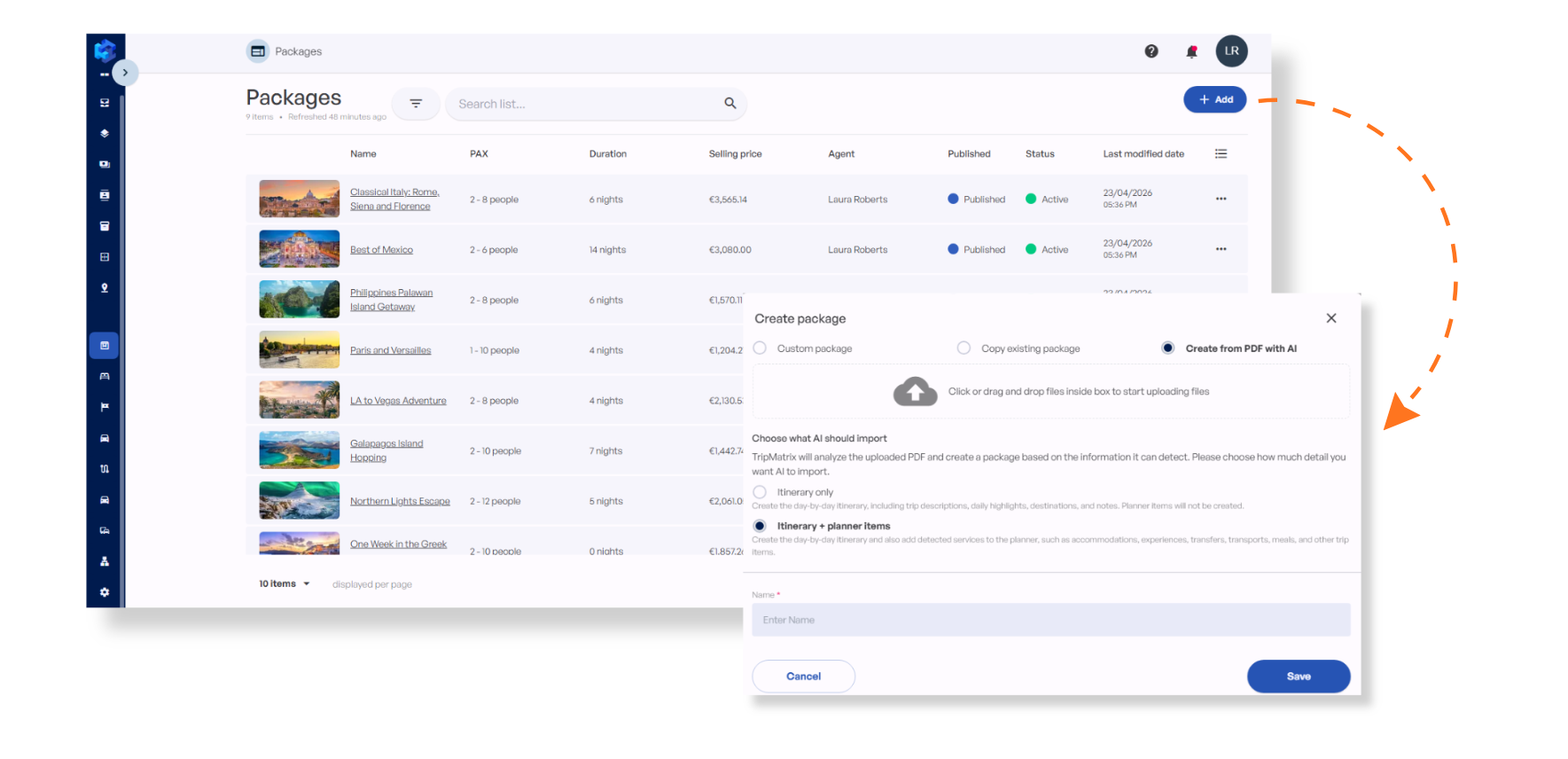
Create a Package and select “Create from PDF with AI”. Choose between Itinerary only or Itinerary + planner items.
Upload a PDF file (e.g. itinerary with day-by-day descriptions and included services)
TripMatrix AI analyzes the PDF and identifies key content elements
The system automatically creates and fills the itinerary, planner, and related components inside TripMatrix
A Simple Process That Turns PDFs Into Ready-To-Use Trips
AI Import analyzes the PDF document, identifies key travel elements, and automatically structures them inside TripMatrix.
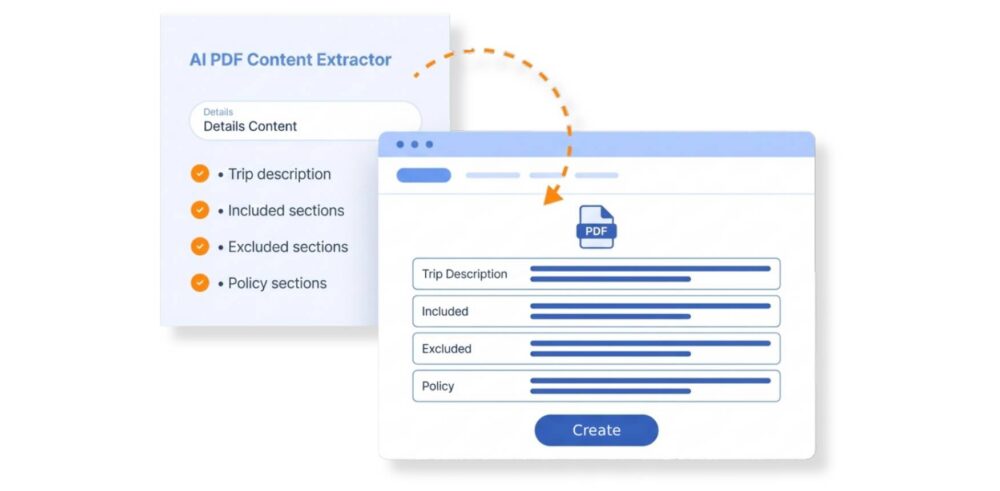
1Detailed content
AI identifies and populates structured text blocks from the PDF, including:
Trip description (travel overview)
Included / Excluded sections (what is included / not included)
Other clearly defined text blocks from the document
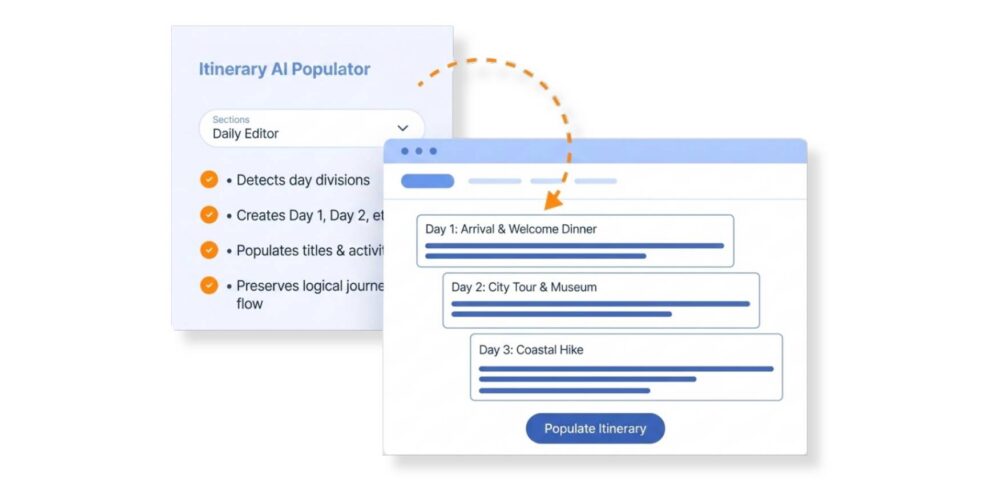
2Day-by-day itinerary (daily editor)
Automatically creates and fills daily sections:
Detects day divisions
Creates Day 1, Day 2, etc.
Populates titles and activity descriptions
Preserves the logical flow of the journey
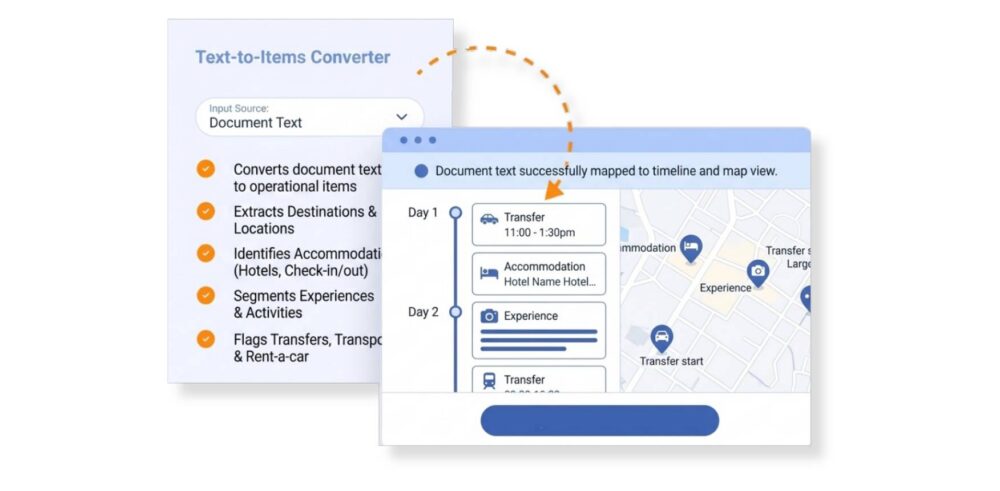
3Planner items
Converts document content into operational planner items such as:
Destinations and locations
Accommodation (check-in/check-out, hotel names where available)
Experiences and activities
Transfers and transport (where identifiable)
Rent-a-car
These are automatically placed into the Planner and map view.
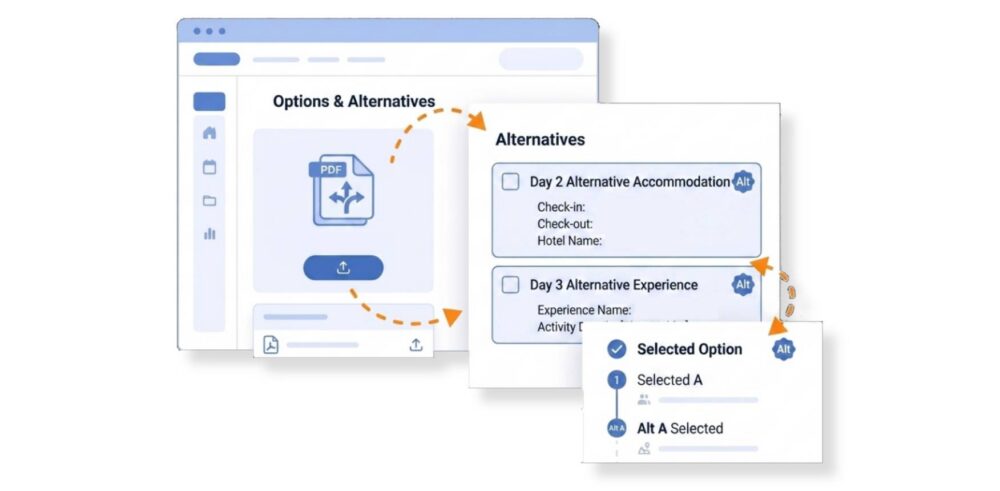
4Alternatives and options (if included in the PDF)
AI can also detect and structure optional or alternative content:
Accommodation (check-in/out, names)
Experiences / Activities
Create Structured Trips in Minutes
With TripMatrix AI Import, what used to take hours of manual work is reduced to a few clicks. By transforming static PDF documents into fully structured, editable trips, your team can focus less on data entry and more on creating better travel experiences. Faster workflows, fewer errors, and instantly usable itineraries - everything you need to scale your travel business efficiently.
Still Spending Hours Creating Trips Manually? Let's Change That.
AI Import supports PDF files. Simply upload a PDF itinerary or offer and TripMatrix AI will automatically analyze and structure the content.
AI Import detects and structures a wide range of content elements, including trip descriptions, included/excluded services, day-by-day itinerary sections, accommodations (hotel names, check-in/check-out), experiences and activities, transfers, transport, and rent-a-car entries. Optional or alternative content within the PDF can also be identified.
Yes. When creating a new package, you can choose between two import options: Itinerary only, or Itinerary + planner items. This gives you flexibility depending on how much of the document you want structured automatically.
Absolutely. Everything AI Import generates (itinerary sections, daily descriptions, planner items, and text blocks) is fully editable inside TripMatrix. The AI creates a starting structure; your team can refine and adjust it as needed.
Yes. AI Import is designed to handle multi-day trips. It automatically detects day divisions, creates Day 1, Day 2, etc., and populates each section with the corresponding titles and activity descriptions while preserving the logical flow of the journey.
If the AI cannot recognize a specific section of the document, it will simply skip that part and continue processing the rest of the content without interruption.
TripMatrix AI Import is designed to recognize a wide range of travel content, including hotels, destinations, activities, and transfers, regardless of how well-known the location is.
Yes. TripMatrix AI import works with PDFs in any language. The imported content will be structured and populated in the same language as the source document.
Yes, scanned documents are supported, but the file must be saved as PDF. As long as the document is in PDF format, TripMatrix AI import will process it and extract available content.
Your documents are processed securely and used only for the purpose of generating structured trip content within your TripMatrix account. Uploaded PDFs are never shared with external parties, and remain fully within your workspace. Net rates, client names, and any other sensitive information in the document are not extracted or stored beyond what is needed to build the itinerary.
Once a package is imported, you first need to create an offer from it, which takes just a few clicks. Once the offer is created, it is immediately ready to send.
From Our Blog
Cloud vs On-Premise Software for Travel Companies: Why the Industry Is Rapidly Moving to Cloud Solutions
Digital Transformation Challenges
The travel industry is undergoing rapid digital transformation, but several structural and technological barriers c [...]
Introducing B2B Partners: Everything Your B2B Partner Workflow Needs In One Platform
The business problem
For most travel companies, the B2B channel - travel advisors and agency partners who bring their clients to you and resell your [...]
Mastering Inventory Management: A Guide to Scalability for Modern Travel Companies
In the travel industry, inventory is the lifeblood of your operation. Yet, for many companies, it is also the primary source of stress. When your supp [...]
We provide complete software for travel professionals
TripMatrix empowers travel agencies, DMCs, travel advisors, and tour operators with comprehensive tools for seamless trip management and unparalleled customer service.
By clicking 'Accept' you agree to the storing of cookies on your device. These cookies help us enhance your browsing experience by improving site navigation, providing insights into how our site is being used, and supporting our marketing efforts based on our privacy policy.
Functional
Always active
The technical storage or access is strictly necessary for the legitimate purpose of enabling the use of a specific service explicitly requested by the subscriber or user, or for the sole purpose of carrying out the transmission of a communication over an electronic communications network.
Preferences
The technical storage or access is necessary for the legitimate purpose of storing preferences that are not requested by the subscriber or user.
Statistics
The technical storage or access that is used exclusively for statistical purposes.The technical storage or access that is used exclusively for anonymous statistical purposes. Without a subpoena, voluntary compliance on the part of your Internet Service Provider, or additional records from a third party, information stored or retrieved for this purpose alone cannot usually be used to identify you.
Marketing
The technical storage or access is required to create user profiles to send advertising, or to track the user on a website or across several websites for similar marketing purposes.